Tuesday, 30 July 2013

Use Air Gestures in Any App on a Samsung Galaxy Note 2 (No Root Required)

While it may not always be practical, controlling your smartphone with air gestures can be pretty awesome. I would bet that if someone in public saw you using gestures to maneuver through your device, they'd be pretty impressed—and also kind of creepy for watching you.
With the release of the Samsung Galaxy S4, the world was introduced to Air Gestures—a touch-free way of answering phone calls, scrolling up & down, swiping left and right, and more. If you're a Samsung Galaxy Note 2 owner and have some mild buyer's remorse over your lack of air gestures, I'm here to show you how to bring your device up to speed.

How to Get Air Gestures on Your Samsung Galaxy Note 2

A new app called Hovering Controls by XDA Senior Member forgin allows you to open any desired app with several different hand gestures. Not only that, but you can also control the play, pause, next and previous functions for your music and mute alarms or a ringing phone.

Step 1: Installing Hovering Controls

As far as downloading Hovering Controls goes, you have a couple options. I actually got in on the free beta version, but there is a new free XDA version you can download from forgin's post on XDA (the APK file). Just make sure you have Unknown sources checked in Menu -> Settings -> Security, then click on the finished download in the Notification tray and complete the action with either Package Installer or Verify and install.
Alternatively, you can just download Hovering Controls from Google Playwith no fuss, but it's not free (currently going for $1.32). However, if you download the free version and find it's something you're always using, you might want to help out the dev by buying the Google Play version anyway.

Step 2: Using Hovering Controls

Opening the app will take you to control options, divided into Hover Hold,Slide Once and Slide Twice. If you turn them on, you'll be taken to a list of all the apps that are compatible with the hovering controls. Most of the apps on my Note 2 were compatible.
I set Hover Hold to open Instagram and configured Google Maps to open with Slide Once. The Note 2 uses the proximity sensor, so make sure your gestures are up high by the front-facing camera. When you make a gesture, a small pop-up will appear at the bottom of the screen, indicating the app is in the process of opening.

More Features for Root Users

If you're rooted, you can do even more with Hovering Controls. In addition to the basic controls that stock users get, you can also auto-shoot pictures and videos, unlock your screen, scroll in the browser, and slide between images in your gallery.

How Do You Like Hovering Controls?

At times the controls can be rough, so you have to figure out exactly where to place your hand and what speed works best when you swipe across. The app is currently in beta, so these issues are sure to be ironed out in the coming updates.
Have you tried Hovering Controls? Let us know what you think in the comments.

Huawei Glory 3 shows up in the flesh

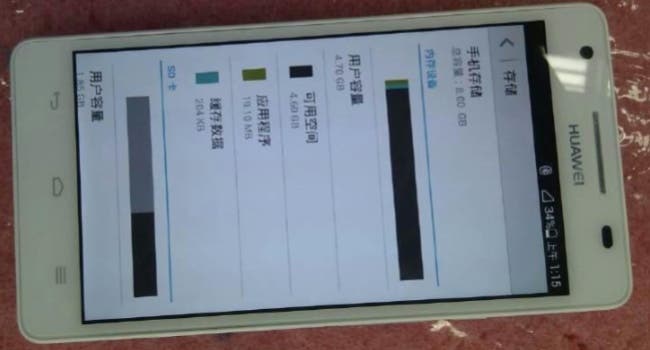
huawei glory 3 leakedThe Huawei Glory 3 (aka Huawei HN3-U01) received its network licence back at the start of June, but these leaked photos of the real phone were only obtained today.

The Huawei Glory 3 (aka Huawei HN3-U01) received its network licence back at the start of June, but these leaked photos of the real phone were only obtained today.
Specifications fro the phone show that the Glory 3 will be heading to the mid-range market and will go up against the likes of the Current Xiaomi Mi2S and ZTE Nubia 5 mini smartphones.
A 4.7-inch 1280 x 720 display sits on the front of the 133 x 67.2 x 9.9mm Android phone with a 1 mega-pixel above it and 13 mega-pixel main camera. Processing power comes from Huawei’s own K3V2 1.5Ghz quad-core chipset with 2GB RAM plus there will be 8GB of built in memory.
From what we can make out the body is similar to the current Glory 2 with the exception of (what appears to be) a curved rear panel similar to the HTC One.
[ Source ]

Green Moto X spotted at Motorola event

motoxgreen
One thing that isn’t in dispute is whether the Moto X is real; we’re going to New York to see its debut on Wednesday, in fact.
But there are a few interesting tidbits yet to be discovered, including how Motorola will facilitate its customizability. We’ve seen backplates of various colours show up from time to time, but it appears that one particular colour, green, is already in the wild. If you consider a Motorola employee event “the wild.”
Guy Kawasaki, recent Moto employee and famous Silicon Valley investor, posted a few photos from his new company’s aMoto Day festivities, and one of the photos (now deleted) shows someone clearly holding out a green Moto X phone. The design, with its curved body and textured backing, is clear, and it looks like the green wraps around the whole device, unlike, say the white Nexus 4.
motoxgreen-close
We can’t tell much else from this crop, but all will be revealed this week.
Source: Google+
Via: Droid-life

LG unveils QuickWindow case for the G2, will be available in 7 colours

lq-quickwindow
LG G2 will be the first ‘premium’ smartphone to come to market without the Optimus branding. This new flagship smartphone has heavily been leaked online, but will officially be unveiled in New York City on August 7th. To compliment its uniqueness, LG has introduced the ‘QuickWindow’ case as part of their “growing premium smartphone accessory lineup, which includes cases, headsets and portable chargers.”
The QuickWindow case, which seems similar to Samsung’s Air View case, will come in 7-colours: black, white, pink, purple, blue, mint and yellow. No word on the price, but the case is simply a cover that gives access to the screen so you don’t have to flip the case open to see your alerts. LG notes that the device knows when the case is closed, thus enables the ‘QuickWindow UX” that give users the option to check the time, weather, alarm, music player, incoming phone call details and incoming text messages.
The QuickWindow case will be available when the G2 launches. Would have been really nice of LG to show the rear of the case and how the back volume buttons would look. We’ll bring you a hands-on from the event.
Source: LG Newsroom
Via: Engadget

Latest MacBook Air reportedly plagued by display bug causing video loss

The latest MacBook Air, the one that Apple unveiled back at WWDC 2013, is reportedly plagued by a display bug that causes intermittent loss of video output to the display. It joins the laundry list of bugs in 2013 MacBook Air that have already been discovered.
2013-macbook-air
The first ever bug in the new MacBook Air models was reported soon after it was released. Many users complained that their laptops would drop the Wi-Fi connection on their own. Then a number of users started complaining that the volume during video playback would fluctuate repeatedly. Some even complained of screen flicker. This particular bug causes the screen to go dark, the display flashes intermittently whereas the laptop itself doesn’t shut down or go in to sleep mode.
As per the lengthy thread on Apple’s official support forums, the issue has been noted in both 11 inch and 13 inch MacBook Air models. Some users say that they have only encountered it when using the device on battery, whereas some say that the bug persists even when the MacBook Air is being powered through its AC adapter. Apple hasn’t confirmed as yet if this is a software or hardware based issue, and for now there’s no official fix that is available for users.
A similar bug was present in the 2010 MacBook Pro, Apple took care of that through a software update. Apple hasn’t even acknowledged this particular bug as yet, so it remains to be seen exactly when they’ll be rolling out a fix for the mid-2013 MacBook Air display bug.

Apple TV 5.4 beta 3 allows users to purchase music through iTunes

Apple has also seeded firmware 5.4 beta 4 for the Apple TV today. This latest beta build allows users to purchase music through the iTunes Store from the comfort of their TV that’s hooked up to an Apple TV.
apple-tv-purchase
The only purchases that Apple TV users can currently make from iTunes Store are movies and TV shows. However, this latest beta reveals that things might be about to change. In Apple TV 5.4 beta 3, the company provides users the ability to even purchase music from iTunes. They don’t have to pick up any other iOS or Apple device, users will be able to search for and buy tracks that they want to through the company’s set-top box.
The music app of Apple TV now has an interface that is much similar to iTunes Store on Mac OS X. There are category menus and scrollable panes. Users are able to browse artists and preview songs. They have the ability to either purchase one track or an entire album. Before a purchase is finalized, a pop up verification will be displayed that will ask users to confirm their purchase. Much like how iTunes Store works, any tracks purchased through Apple TV can be downloaded on other Apple devices without any extra charge.
A refreshed version of the Apple TV was released late last year. Apple is yet to confirm when the latest software update for Apple TV will be released, though it is expected that the company might release it later this year.
Source: [AppleInsider]


Read more: http://vr-zone.com/articles/apple-tv-5-4-beta-3-allows-users-to-purchase-music-through-itunes/48322.html#ixzz2aWx3nEqk

New GTA V screens show off the fast life in Los Santos

GTAV 7
Rockstar has just released another batch of screenshots for Grand Theft Auto V that show off the distinct mix of vibrant environments, wickedly awesome vehicles, and seedy characters–all of which combine to display the “fast life” in Los Santos.
Whether you’re roaring and slicing through the skies in an Army helicopter or speedingout through Blaine County in a high-speed chase, Los Santos has plenty to offer even the most lead-footed speed demons.
GTAV 8
Oh and it’s not just about going fast, but also staying stylish while doing so–Trevor shows us how to escape being tailed by police while almost-naked on the back of a four-wheeler, and Franklin dishes out some drive-by action while riding a snazzy street bike.
Additionally, the devs at Rockstar Games have announced that new updates regarding GTA V’s extensive online multiplayer–Grand Theft Auto Online–will be revealed in August, along with a host of new screens and in-game footage:
“Here are some new screens featuring a taste of the fast life in Los Santos and Blaine County. You can find these and other screens that have been released in recent game previews in high-definition now over at www.rockstargames.com/V.
Stay tuned for much more details and media from the game in August including the first proper unveiling of Grand Theft Auto Online.“
GTAV 5
If you haven’t already, be sure to check out our existing coverage on GTA V as it contains a variety of in-game screens, footage and info on game mechanics and more.
The new screenshots add even more anticipation for the game itself, and the more Rockstar shows off the epic and sprawling vistas of Los Santos and all of the different ways that players can wreak havoc in its streets, the more gamers around the world want to get their hands on it.
It will be interesting to see how Grand Theft Auto Online differs from the multiplayer experience contained in GTAIV, and what new gametypes are offered into the mix as well. We’ll likely see the same near-endless devotion and signature wacky style reflected in the online portion, with a host of crazy features to keep gamers busy.
Grand Theft Auto V is slated for a release on Sept. 17, 2013 for Xbox 360 and PlayStation 3.

For more information please visit the game’s official website.

Sony and Panasonic team up for next-generation optical storage

The storage capacity of Blu-ray is not enough for the future as Sony and Panasonic (both members of Blu-ray Disc Foundation) have teamed up to develop the next generation optical storage for professional use.
1-1208707554nqU5
Like cassettes, the VHS and floppy discs, optical discs are thought to be obsolete in the digital age that we are living. The bloom of  flash storage and cloud computing render optical discs almost useless as a storage medium for consumer. Furthermore, Apple and several other major PC manufacturers such as HP, Dell and Lenovo started to exclude optical drive in the design of their notebooks. These phenomenons further threaten the relevancy of optical storage in the consumer market.
optical
Although showing signs of death, the advantage of optical storage still keeps them relevant in several professional industries. According to Sony, optical storage especially excel in long term storage due to the resistance to environment properties such as temperature and humidity.
The duo have previously leveraged the strength of optical storage in developing long-term storage solutions to video production industries and cloud data centers. However, due to the capacity limits of Blu-ray, they are in need of something that can store more per disk in the future.
Thus, the pair agree to jointly develop a new standard for professional-use next-generation optical discs with a capacity of at least 300 GB per disc by the end of 2015. Technical details are not disclosed.
Although useful for professionals, the relevance of optical storage in the consumer space is questionable. Who needs to archive data when we have cloud back-up and on demand streaming services?

Source: Sony

Google shutting down Shopper app in favor of Search

Google shutting down Shopper app in favor of Search
Another one bites the dust, but this time around, we're pretty sure there won't be the same outcry around Google deciding to sunset its Shopper app as what we heard when it was announced that Google Reader was being retired. For the most part, people use Google Search for shopping needs, and Google is recognizing that.

According to a new blog post, Google says that the standalone GoogleShopper app for Android and iOS will be shutdown on August 30th. The post says that "76% of shoppers use the web to research purchases and 57% of people use mobile devices to help them shop smarter." But, it seems that most of that is going through Google Search, so that is where Google is directing users who had enjoyed the Shopper app.

Android 4.3 finally allows 3rd party SMS apps to handle Quick Responses

Android 4.3 finally allows 3rd party SMS apps to handle Quick Responses
We keep trying to give a breakdown of the new features in Android 4.3, and as much as we try, there is always something new that pops up that we didn't know about before. Today, that new feature is that Android 4.3 allows 3rd party SMS apps to handle Quick Responses on incoming calls. Quick Responses were first added to Android in 4.0 Ice Cream Sandwich, but had only be available with the stock Messaging app. 

Now, as long as an app is updated to handle the option, you can choose your own SMS app to handle Quick Responses. Of course, the key phrase there is "as long as an app is updated..." As yet, we haven't seen any of the more popular SMS apps like Handcent, Chomp, and Go SMS updated to take advantage of the feature. And, even Google's own Voice app hasn't yet been updated, although given how long it took for Google to add inline voicemail handling to GV, we aren't holding our breath on this one. 

We'll keep an eye out though, and let you know when apps are updated to be able to handle Quick Responses.

source: Android Central